
The Prompt Recipe: How to Talk to AI So It Actually Understands You
A practical framework for writing prompts that AI understands the first time — articulate context, coach ChatGPT to learn your domain, and personalise it to your stack and conventions.
The Problem with "Write Me a Landing Page"
Most people use AI like a genie. They type a one-line wish and expect a perfect answer:
"Write me a landing page."
Then the AI produces something generic. The user is disappointed, the AI is confused, and both sides blame each other. Sound familiar?
Here's the uncomfortable truth: AI is not a mind-reader. It has no idea what your business does, who your customers are, what your brand sounds like, or which framework you build in. When you give it nothing, it fills the gaps with the most average version of whatever you asked for — because that's all you gave it to work with.
The good news is the fix is entirely on your side. You don't need to be a prompt engineer. You need a recipe — a repeatable way of giving AI the same kinds of context a new teammate would ask for on day one.
Why AI Misunderstands You
Before the recipe, it helps to understand why vague prompts fail. AI responds to the information you provide and the patterns it has learned. When your prompt is thin, three things happen:
- It guesses your context. "Marketing copy" means something completely different to a SaaS startup and a rural agribusiness. AI will guess — and it will guess wrong more often than not.
- It defaults to generic tone. Without guidance, you get the bland, hype-heavy voice that sounds like every other website. Nothing about you.
- It misses your constraints. No deadline, no audience, no budget, no "please don't use emoji" — so the AI walks straight into every one of your pet peeves.
The fix is to stop treating AI as a genie and start treating it as a capable new hire who is meeting you for the first time every session. What would you tell them? That's your prompt.
The Prompt Recipe
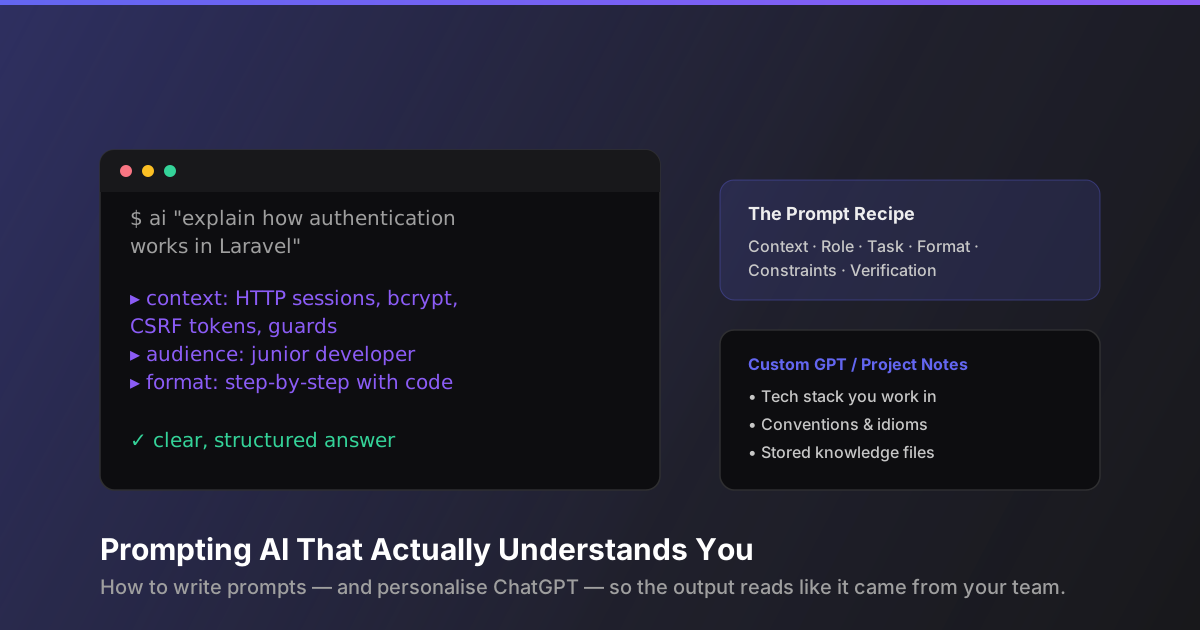
Here's the framework we use at TechXtrasol — and the one this very blog post was written with. Six ingredients, in this order:
- Context — what is this about, and what do you know already?
- Role — who should the AI pretend to be?
- Task — what do you actually want it to produce?
- Format — how should the output be structured?
- Constraints — what should it avoid, and what limits apply?
- Verification — how will you check the work?
Let's build a prompt together using each ingredient.
1. Context
Context is the single highest-leverage part of a prompt. It's everything the AI needs to know to answer relevantly rather than averagely.
Think about what a colleague would ask before starting your task:
- What is the project or product?
- Who is the end user?
- What have you tried already?
- What's the environment (tech stack, platform, industry)?
For a landing page, context sounds like:
"I run a solar-installation company in Nairobi called Solarix. We target homeowners and small businesses that want to cut their electricity bills. Our differentiator is we handle everything — financing, permits, installation, and after-sales support. Competitors make you coordinate with three different vendors."
That single paragraph tells the AI more than a hundred vague prompts. Now it knows your market, your audience, and your edge.
2. Role
Role-setting steers tone, vocabulary, and depth. It's one line, but it changes everything:
"Act as a senior copywriter who specialises in B2B home-services marketing in emerging markets."
Or on the technical side:
"Act as a senior Laravel developer who has reviewed hundreds of production codebases."
The role tells the AI whose shoes to stand in. A "senior Laravel developer" will mention caching, queues, and security concerns a generic assistant never would.
3. Task
The task is what you want produced. Be specific about the deliverable, not the intention:
- Weak: "Improve my website copy."
- Strong: "Rewrite the hero section of my landing page so the headline names the pain point, the subheadline explains our all-in-one service, and the CTA offers a free site assessment."
Notice the strong version describes what success looks like — the headline, the subheadline, the CTA. Give the AI a target and it will hit it.
4. Format
Format is how the answer should be structured. This is the most underused ingredient — and the one that separates "interesting" output from "usable" output.
"Structure it as: (1) headline options — give me three; (2) a 2-3 sentence subheadline; (3) one CTA button text. Use headings and bullet points so I can scan it."
Or for code:
"Show me the code in a single file with brief comments, and explain your approach in two short paragraphs before the code."
When you specify format, you stop the AI from dumping 800 words when you needed a bullet list — and vice versa.
5. Constraints
Constraints prevent the classic AI failure modes: hallucination, hype, and irrelevant extras.
Common constraints:
- Tone: "Professional but conversational. No corporate jargon, no hype words like 'revolutionary'."
- Length: "Under 200 words."
- Exclusions: "No emoji, no pricing claims, no unverifiable statistics."
- Accuracy: "Only state facts I've given you. If something is uncertain, say so."
- Sources: "Do not invent case studies or customer quotes."
The best prompts are as much about what not to do as what to do.
6. Verification
Finally, tell the AI how you'll judge its work. This primes it to be critical of itself:
"Before you answer, check: does this match the audience, avoid unsupported claims, and stay within the word limit? Flag anything you're unsure about."
You can also ask for a self-review pass: "Now list three weaknesses in your own draft and fix them." It works surprisingly well.
Putting the Recipe Together
Here's the full prompt using all six ingredients:
Context: I run Solarix, a solar-installation company in Nairobi. We target homeowners and small businesses looking to cut electricity bills. Our edge is one vendor handling financing, permits, installation, and support.
Role: Act as a senior B2B copywriter for home-services marketing in emerging markets.
Task: Rewrite the hero section of our landing page. The headline should name the pain point, the subheadline our all-in-one service, and the CTA offer a free site assessment.
Format: Three headline options, then a 2-3 sentence subheadline, then one CTA. Use short paragraphs I can paste directly.
Constraints: Professional but warm. No hype words, no emoji, no invented statistics. Under 150 words total.
Verification: Check that it speaks to a homeowner worried about electricity costs and that every claim is traceable to what I've told you.
That's the whole recipe. Six ingredients, one paragraph each. It takes two minutes to write and it changes the quality of what comes back more than anything else you can do.
Use AI to Write Your Prompt (Yes, Really)
Here's a meta trick: you don't have to write the perfect prompt from scratch. You can ask AI to help you write the prompt — and it's much better at you if you give it the recipe.
Instead of prompting the AI directly, prompt the prompt-writer:
"Before we start, I'm going to describe a task. Ask me questions one at a time to gather everything you need: the context, the role I want you to take, the deliverable, the format, my constraints, and how I'll verify the work. Then, once you have all six, produce the task using exactly that structure."
Now the AI interviews you. It asks about your audience, your tone, your stack — and by the time you've answered, the prompt is essentially written. You've done the thinking; the AI has done the structuring.
You can make this a saved template:
"Whenever I say 'run the recipe', ask me for context, role, task, format, constraints, and verification — then execute. If I give you incomplete info, ask before guessing."
This is our favourite workflow: the AI becomes the interviewer, you stay the expert, and the output reflects your knowledge instead of the AI's assumptions.
Personalising ChatGPT to Your World
The recipe improves individual prompts. But you can go further and make ChatGPT remember who you are between prompts — so you don't have to repeat your context every single time.
Custom instructions
ChatGPT has a built-in custom-instructions feature (also available on the web and in the mobile app). This is a permanent note that applies to every conversation.
Tell it about:
- Who you are: "I'm a full-stack developer at a small agency building Laravel + Vue apps for SMEs in Kenya."
- How you like output: "Prefer concise, practical answers. Use code examples. Skip fluff. Address me as 'you'."
- What to avoid: "Don't use emoji, don't over-apologise, don't ask for clarification on simple requests — assume good intent."
- Your conventions: "We use PSR-12, Tailwind, and Postgres. Mention security and performance considerations when relevant."
Once that's set, every response is tuned to you. You can stop repeating your context in every prompt — the AI already has it.
Projects and knowledge files
If you use ChatGPT Plus or Team, the Projects feature lets you add knowledge files — documents the AI can read in every conversation within that project.
Create a project per domain (client, codebase, product) and upload:
- A README of your architecture and conventions.
- A style guide or tone-of-voice document.
- Key product facts, pricing, and differentiators.
- Your prompt recipe and example prompts.
Now conversations in that project inherit all of it. Ask "rewrite the onboarding email" and the AI already knows your product, your tone, and your constraints — no recipe required. It's the closest thing to a permanent memory the AI has.
Your own custom GPT
For a step further, you can build a custom GPT with a system prompt and knowledge files baked in. Give it a personality and guardrails once, share it with your team, and everyone gets the same high standard of output.
The pattern is the same whether it's custom instructions, a project, or a custom GPT: inject your context once, benefit forever.
Best Practices Checklist
- Use the six-ingredient recipe — context, role, task, format, constraints, verification — for anything important.
- Lead with context. The AI can't read your mind; a paragraph of background beats a paragraph of polish.
- Describe success, not intentions. Tell the AI what a good deliverable looks like.
- Set constraints on tone and accuracy. "No hype, no invented data" saves you a cleanup pass every time.
- Ask for structure. Bullets, headings, and limits make output scannable and paste-ready.
- Let AI interview you. Use the "ask me questions" pattern when you're not sure where to start.
- Persist your context. Custom instructions, projects, and knowledge files remove the need to repeat yourself.
- Review and iterate. Treat the first output as a draft, tell the AI what to fix, and watch it converge.
Conclusion
AI isn't a mind-reader — but it is an extremely capable colleague. The gap between generic output and work that sounds like it came from your team isn't the AI's intelligence. It's the information you gave it.
The recipe is simple: give context, set a role, state the task, specify the format, set constraints, and agree on verification. Do that consistently, and the AI stops guessing and starts delivering.
And the best part? You only have to build the context once. Custom instructions, projects, and custom GPTs mean your AI can know your business, your stack, and your voice — so every conversation starts from a place of understanding instead of zero.
Next time you're about to type a one-line wish, take two minutes and run the recipe instead. Your future self — and the AI — will thank you.